The Ultimate Craft Machine Face Off
Designs For Cricut
8/27/2025
8/27/2025
Hey there. So you're thinking about jumping into the world of digital crafting, but you've hit that first big question. It's the classic debate, silhouette vs cricut. It’s a bit like asking whether an Apple or a PC is better. The answer isn't always straightforward because it really depends on what you plan to do with it. I’ve spent a lot of time with both machines, and I’m here to break it down for you in plain English, no marketing fluff allowed.
Let's start with the basics, because if you're new to this, you might be wondering, what is cricut? Or what's a Silhouette? In simple terms, they are electronic cutting machines. You tell a design to the machine via software on your computer or phone, and it uses a small, super-sharp blade to cut that design out of materials like paper, cardstock, or vinyl.
First up, Cricut. Cricut is a household name, and for good reason. Their marketing is everywhere. If you've heard of one of these machines, it's probably a Cricut. They are known for being incredibly user-friendly, especially for beginners. The ecosystem is very tight. You use their software, called Design Space, and the machine is designed to work seamlessly within that system. A lot of people ask, what does a cricut do? The better question is, what can't it do? From intricate paper flowers to custom t-shirts and personalized home decor, its versatility is massive.
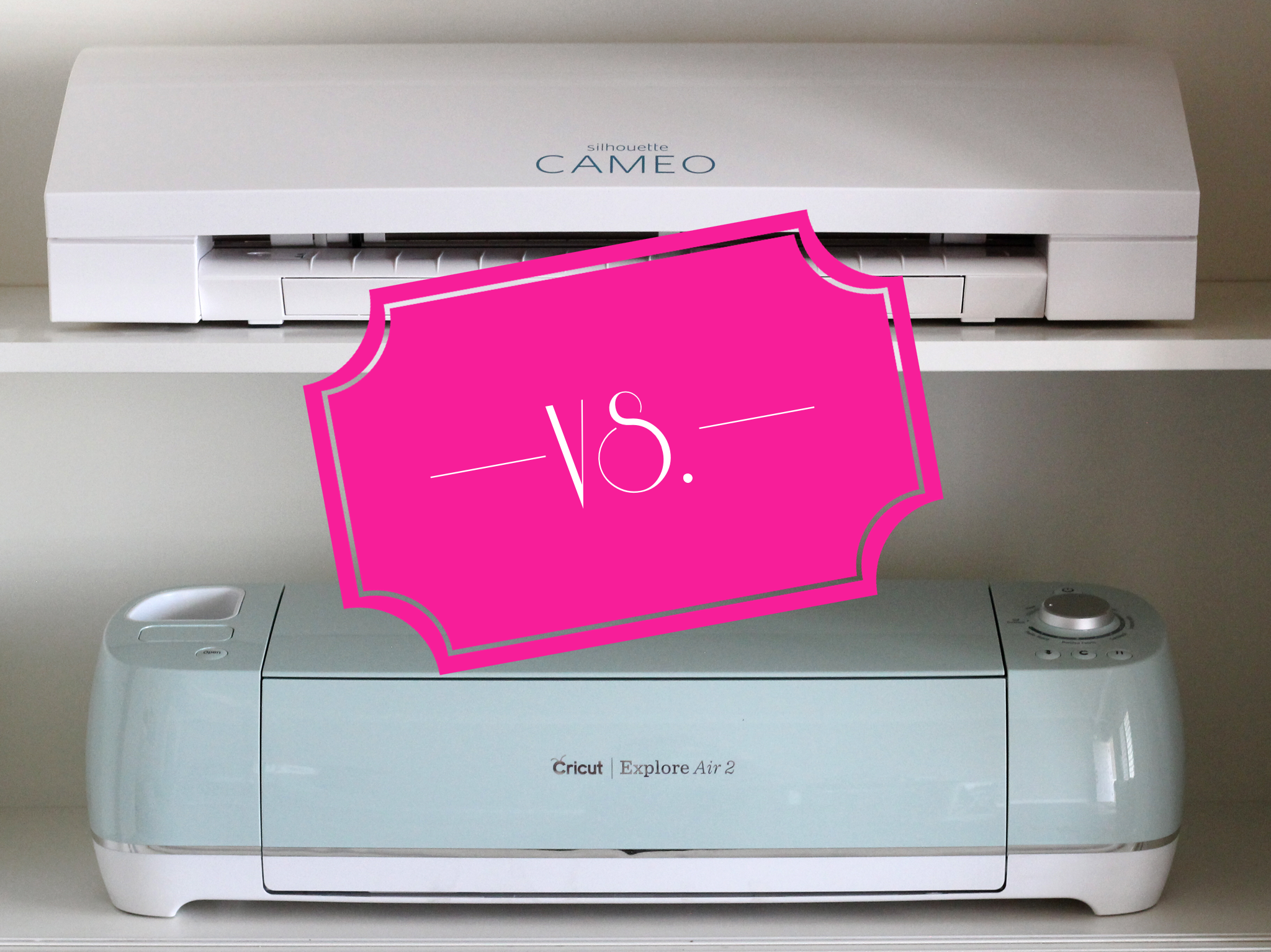
On the other side, we have Silhouette. Silhouette machines, like the popular Cameo series, are often seen as the choice for the more technical or design-savvy user. Their software, Silhouette Studio, is far more powerful and customizable right out of the gate. It feels more like a professional design program. While there might be a slightly steeper learning curve, you get a lot more control over your designs. Think of it as the workhorse for those who want to create from scratch.
This is the heart of the silhouette vs cricut battle. The machine hardware is similar; the software experience is worlds apart.
Cricut's Design Space is web-based. This means you need an internet connection to upload your own designs or to save your projects. It's very intuitive and walks you through every step, making it less intimidating. However, this simplicity can feel limiting if you want to do complex edits or detailed manipulations. It's designed to work perfectly with Cricut's vast library of images and fonts, many of which you pay for.
Silhouette Studio is desktop-based software. You can use it completely offline, which is a huge plus for some. The free version is already more feature-rich than Design Space, and you can upgrade to even more advanced editions for a one-time fee. It allows for precise node editing, meaning you can tweak every single point of a design. If you're the type who likes to dig into the details and have complete creative control, Silhouette's software is the clear winner.
Picking the Right Machine for the Job
You can't really talk about machines without talking about what you'll make. Both handle a huge range of materials, but some nuances exist.
If you're into making stickers with cricut, you'll need a printer as well. This is called print then cut. Both machines do this, but Cricut's sensor and registration are generally considered to be a bit more consistent and user-friendly for this specific task. You'd print your designs on sticker paper, and the machine uses sensor marks to precisely cut around them. Speaking of printers, people often ask about the best printer for cricut. You don't need a special one. Any decent inkjet printer will work perfectly fine for most hobbyist projects.
When working with materials like permanent vinyl cricut projects (think decals for water bottles or laptops), both machines cut vinyl impeccably. The choice of material is key. You need to use the right vinyl paper for cricut and Silhouette, which isn't actually paper at all. It's a thin, flexible plastic sheet with an adhesive backing. Both brands sell their own, but plenty of excellent third-party options work great and are more affordable.
For larger projects, like big decals or home signs, a cricut 12x24 mat is a game-changer. It allows you to cut materials that are 12 inches by 24 inches, doubling your cutting area. Most standard machines from both brands can accommodate these larger mats, opening up a whole new world of project possibilities.
Since you asked, let's narrow down the Cricut lineup. If you're looking for the best cricut for beginners, the Cricut Explore 3 is the sweet spot. It's a fantastic all-rounder. It's fast, can cut over 100 materials, and is Bluetooth enabled so you can cut wirelessly. It's the workhorse of the family.
For those who want to cut fabric and leather without a stabilizer and have a bigger budget, the Cricut Maker series is the top-of-the-line choice. Its adaptive tool system can use a rotary blade for fabric, a knife blade for balsa wood, and more. It's the most powerful machine Cricut makes.
And for the absolute beginner on a tight budget who wants to test the waters, the Cricut Joy is a great little machine. It's small, simple, and perfect for quick projects like cards, labels, and decals. It's worth noting that the Joy uses smaller mats and doesn't support the cricut 12x24 mat size.
You might also see the term cricut 2 pop up. This usually refers to the second-generation machines, like the Explore Air 2. These are older models but are still absolutely capable machines you can often find at a good price.
I should be totally transparent here. We provide design services that are compatible with Cricut machines. This means we create digital files that you can upload into Design Space to cut. We love helping people bring their ideas to life with beautiful designs. But it's important you know that we are not owned by, nor do we own, Cricut. We're just enthusiasts who also happen to be professional designers, offering another resource for the community.
Let's make this simple.
Choose a Cricut if:
Choose a Silhouette if:
There's no outright "better" machine. There's only the better machine for you. Both are exceptional tools that can unlock incredible creativity. Whether you go with the user-friendly embrace of Cricut or the powerful precision of Silhouette, you're in for a world of fun. Welcome to the crafty side