
Mastering Cricut Design Space A Complete Guide
Designs For Cricut
5/5/2025
5/5/2025
If you're into DIY crafts, personalized gifts, or vinyl projects, chances are you've heard of Cricut. This powerful cutting machine has revolutionized the crafting world, and at the heart of it all is Cricut Design Space, the software that brings your creative visions to life.
Whether you're a beginner or a seasoned crafter, understanding Cricut Design Space can take your projects to the next level. In this guide, we’ll explore everything you need to know—from choosing the best Cricut machine to mastering the software. Plus, if you need custom designs (though we don’t own Cricut), we’ve got you covered!
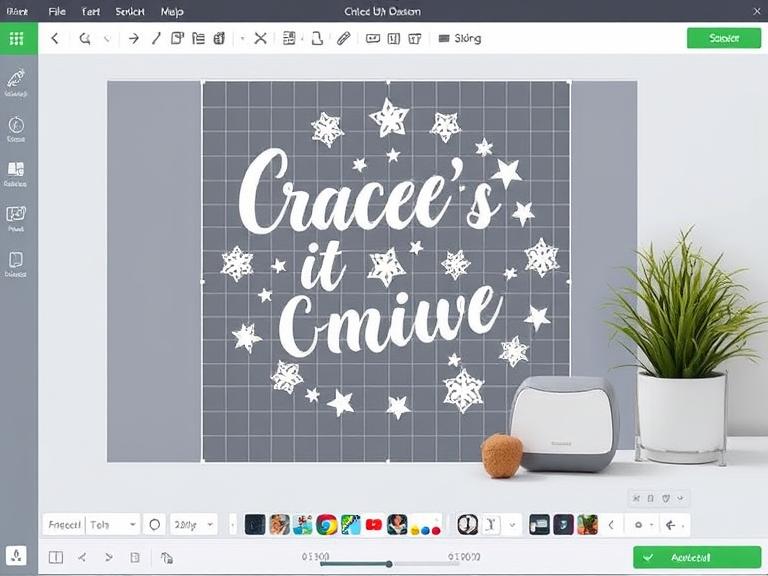
Cricut Design Space is the ultimate creative hub for crafters, offering seamless design customization for all Cricut machines. Whether you’re a beginner or a pro, this intuitive software lets you bring your ideas to life with ease. To get started, simply complete the Cricut Design Space download and install it on your preferred device—Windows, Mac, iOS, or Android. Once installed, use your Cricut Design Space login to access a world of fonts, images, and ready-to-make projects. The platform syncs across devices, so you can start a design on your laptop and finish it on your tablet.
Cricut Design Space is the free, cloud-based software that works with all Cricut machines. It allows you to design, customize, and send projects to your Cricut machine for cutting, writing, or scoring. The platform supports images, fonts, and ready-made projects, making it perfect for crafters of all skill levels.
With several models available, choosing the right Cricut machine depends on your crafting needs. Here’s a quick breakdown:
1. Cricut Joy – Compact & Portable
2. Cricut Explore Air 2 – Great for Beginners
3. Cricut Explore 3 – Faster & Smarter
4. Cricut Maker – The Most Versatile
5. Cricut Maker 3 – The Ultimate Powerhouse
If you need precision and versatility, Cricut Maker 3 is the best choice. For beginners, Cricut Explore Air 2 offers great value.
Step 1: Download & Set Up
Step 2: Create or Choose a Design
Step 3: Customize Your Design
Step 4: Prepare & Cut
If you're into heat transfer vinyl (HTV) projects, a Cricut Heat Press ensures professional results. Unlike regular irons, it provides even heat distribution.
While we don’t own Cricut, we specialize in creating custom SVG files, monograms, and templates compatible with Cricut Design Space. Whether you need wedding decals, T-shirt designs, or home décor cutouts, we’ve got you covered!
If you own a Cricut Joy Xtra or the versatile Cricut Explorer Air 2, Design Space optimizes your machine’s capabilities, ensuring precise cuts, writes, and scores. The software’s user-friendly interface allows you to upload your own designs or choose from thousands of pre-loaded templates. For those working with heat transfer vinyl, the Cricut Heat Press Guide provides essential tips on temperature settings and pressing times, ensuring professional-quality results every time.
Cricut Design Space is a game-changer for crafters, and pairing it with the right Cricut machine (like Cricut Maker 3 or Explore Air 2) unlocks endless possibilities. Whether you're making stickers, apparel, or home décor, mastering this software will elevate your creativity.
Design Space also supports collaboration, letting you share projects with friends or clients. Regular updates introduce new features, keeping your crafting experience fresh and innovative. Whether you’re creating custom apparel, home decor, or personalized gifts, Cricut Design Space simplifies the process while maximizing creativity. Just log in, explore, and let your imagination run wild—your next masterpiece is only a few clicks away!
Got a project in mind? Fire up Cricut Design Space, pick your Cricut machine, and start crafting today!